September 14, 2026
Build a ComfyUI Vertical Video Practice
Can I build enough practical skill with ComfyUI today to understand, design, and prove a repeatable way of making high-quality vertical video?
What came of the day
I built a practical understanding of how vertical video can fit into my Obsession workflow and moved from treating ComfyUI as “the place where the whole video gets made” to seeing it as one specialized part of a larger production system. I installed and began working with ComfyUI, tested image-to-video and reference-to-video approaches, created purpose-built reference imagery and prompts, and used MILITAXI as a real production experiment. The strongest proof was a completed 15-second multi-shot reference-to-video generation. I accidentally rendered it in 16:9 instead of 9:16, but the result looked good enough to prove that the approach itself is viable. The biggest practical discovery was that high-quality generative video is computationally expensive: a 15-second generation can take hours. That changed the architecture. The emerging system is: Obsession → story beats → Vertical Video Production Package → selective ComfyUI motion generation → CapCut assembly → silent master → platform-supplied music A typical ~30-second video should not require 30 seconds of generated motion. Instead, the story can combine a few important AI-generated clips with still-image movement, real artifacts, screenshots, diagrams, text, montages, and other inexpensive segment types. I created the first Vertical Video Beat & Segment Library to formalize that approach. I also clarified the daily workflow: the Obsession chat should determine the video story and create the complete production package—including canonical images and ComfyUI inputs—during closeout. A separate production chat can then handle long renders, retries, troubleshooting, CapCut assembly, and final export without keeping the Obsession itself open. The final vertical video about this Obsession was not completed during the day, but the core technical path was proven. I ended the Obsession with a working production model, a successful 15-second AI-generated video test, and a clearer understanding of what ChatGPT, ComfyUI, and a conventional editor should each be responsible for.
The story
The day started with a simple goal: learn enough about ComfyUI and vertical video production to make something real, rather than just spend the day studying tools. At first, the problem looked mostly technical. ComfyUI had to be installed, NVIDIA drivers had to be updated, and large video models had to download before any meaningful testing could begin. While the machine was getting ready, the more interesting question emerged: if vertical video is going to become a regular artifact of an Obsession, what should the workflow actually look like? The first instinct was to think of ComfyUI as the place where the video would be made. But as we examined the available templates and started testing image-to-video and reference-to-video workflows, a more useful model appeared. Different shots need different kinds of inputs. Some want a single starting image. Some benefit from first and last frames. Some want reference images that define the subject, environment, or visual identity. That meant ChatGPT could eventually do far more than write a prompt: it could create the complete set of visual control assets a workflow needs. MILITAXI became the proving ground. We created vertical reference imagery, experimented with prompts, and eventually designed a three-shot sequence around WWII soldiers discovering a wrecked, taxi-marked Harrier that should not exist in their world. Two references—the wartime unit and the damaged aircraft—were combined with a structured multi-shot prompt. The resulting 15-second generation accidentally came out in 16:9 instead of 9:16, but it looked good. More importantly, it proved that the basic approach worked. That successful render also exposed the biggest practical constraint of the day: high-quality generated video is expensive in time. Fifteen seconds could take hours. That made the idea of generating an entire 30-second short inside ComfyUI feel wrong. Instead, the architecture shifted toward using generated motion only for the story beats that truly need it, while filling the rest with still-image movement, real artifacts, screenshots, diagrams, text, comparisons, and other cheaper forms of motion assembled in CapCut. From that realization came the idea of a story-beat library and a segment library. The story should be designed first. Each beat can then be matched to the cheapest effective medium: a hero push, an artifact hold, kinetic text, a montage, a diagram, a before-and-after, or an expensive AI-generated clip. ComfyUI becomes the motion engine, not the entire editor. By the end of the day, the problem had become much clearer than “learn ComfyUI.” The emerging system was now: Obsession → story beats → Vertical Video Production Package → selective ComfyUI generation → CapCut assembly → silent master → platform music The deeper discovery was that the video does not need to compete with the Obsession or turn the day into content production. The Obsession remains the source. During closeout, ChatGPT can interpret what happened, identify the strongest story, generate the canonical visual assets and prompts, and freeze a production package. Rendering and assembly can happen afterward in a separate production chat without holding the Obsession open. The day did not end with a polished 30-second vertical video. It ended with something more valuable: a proven generative-video path, a working division of responsibilities between ChatGPT, ComfyUI, and CapCut, and the first real architecture for turning future Obsessions into short-form media without making the media itself the work.
Discoveries
Generative Video Is a Shot Engine, Not the Whole Editor
ComfyUI is most useful for creating the specific moments that genuinely benefit from generated motion. The full vertical video should combine those expensive clips with cheaper deterministic elements such as still-image motion, screenshots, diagrams, text, montages, and real source footage, then be assembled in a conventional editor such as CapCut.
Render Time Changes the Economics of the Medium
A 15-second high-quality generation can take hours on local hardware. That means generation cannot be treated as casual trial-and-error. Creative uncertainty should be reduced before rendering, individual clips should be accepted when they are good enough, and expensive motion should be reserved for the story beats where it materially improves the video.
Story Beats Should Determine the Production Method
A vertical video is easier to design by first identifying its story beats—question, setup, discovery, friction, transformation, reveal, payoff—and then choosing the cheapest effective way to express each beat. A beat might become an AI-generated clip, hero-image push, evidence montage, diagram, before/after comparison, kinetic-text moment, or artifact hold.
The Production Package Is the Interface Between an Obsession and Video
The useful handoff is not simply a script or a collection of prompts. At closeout, ChatGPT should create a complete Vertical Video Production Package containing the story, timeline, segment choices, canonical images, reference images, first/last frames where needed, ComfyUI prompts, text, and assembly instructions. Video production should be able to begin from that package without reconstructing the entire Obsession.
Reference Images Give ChatGPT Much More Directorial Control
Current ComfyUI video workflows can use images as much more than inspiration. Start frames, end frames, subject references, environment references, and other visual anchors can constrain what gets generated. This means ChatGPT can prepare deliberate visual inputs during closeout instead of relying primarily on text-to-video to invent every shot from scratch.
A Multi-Shot Reference-to-Video Path Actually Works
Using separate references for the WWII environment and the wrecked MILITAXI aircraft, along with a structured three-shot prompt, produced a successful 15-second multi-shot video that looked good. It was accidentally rendered at 16:9 instead of 9:16, but it proved that the basic creative and technical approach is viable.
The Obsession and Video Production Should Be Separate Phases
The Obsession chat should contain the actual work, closeout, editorial interpretation, and creation of the complete video package. A second production chat should handle ComfyUI rendering, retries, troubleshooting, CapCut assembly, and final export. Long GPU renders therefore do not need to keep an Obsession open.
Platform Music Should Stay Outside the Master Video
The production master does not need baked-in music. Original speech or owned sound could be included when useful, but licensed background music can be selected inside YouTube, TikTok, or Instagram at publishing time. This keeps the master portable while still giving each platform access to its own licensed music catalog.
Vertical Video Can Be a Derived Artifact Rather Than a Second Content Job
The strongest workflow does not require thinking like a content creator throughout the day. The Obsession creates the substance; closeout interprets that substance into a story; ChatGPT creates the production materials; and the production stack turns those materials into media. The video remains downstream of the work instead of competing with it.
Results
Vertical Video Beat & Segment Library v0.1
A reusable production guide for turning an Obsession into story beats, matching those beats to inexpensive or generative segment types, routing selected shots through ComfyUI, and assembling the finished vertical video in CapCut.
Open the fileSuccessful MILITAXI 15-Second Reference-to-Video Test
A completed three-shot ComfyUI reference-to-video experiment showing WWII soldiers discovering and approaching a wrecked MILITAXI aircraft. The test was accidentally rendered at 16:9 rather than 9:16, but the result looked good and proved that the multi-shot, multi-reference approach is viable.
Open the fileMILITAXI Reference-to-Video Asset Set
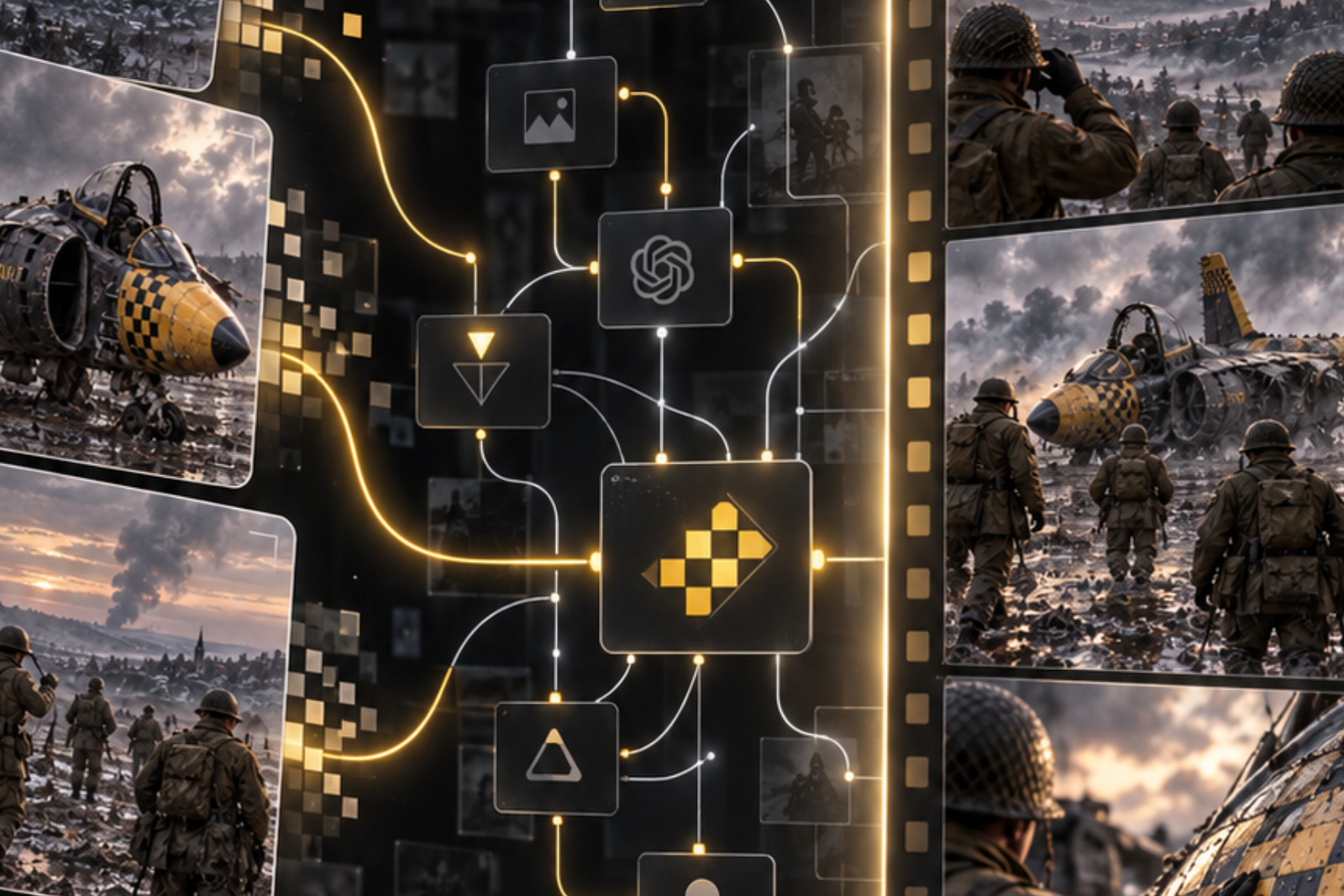
Purpose-built visual references created to test controlled video generation: a wrecked but clearly identifiable black-and-yellow taxi-marked Harrier-style aircraft, and a separate WWII winter/muddy field scene with soldiers and vehicles observing distant crash smoke. These demonstrated how ChatGPT can prepare subject and environment references for ComfyUI.
MILITAXI Multi-Shot Generation Prompt
A structured 15-second prompt directing three distinct story beats: soldiers notice distant crash smoke, approach the unfamiliar wreck from roughly 100 yards away, and finally make physical contact with the impossible aircraft. This became the prompt for the successful reference-to-video test.
Proven Vertical Video Production Architecture
A working division of responsibilities was established: ChatGPT handles story, assets, prompts, and the production package; ComfyUI generates the expensive motion shots; CapCut assembles the complete video; and platform-native music is added at publishing time.
Open threads
- Create the first complete Vertical Video Production Package for this Obsession and use it to produce the actual 9:16 video.
- Test whether separate 5-second generated shots are more practical and controllable than a single 15-second multi-shot render.
- Establish reliable 9:16 settings so aspect-ratio mistakes cannot slip into long renders.
- Learn the minimum CapCut workflow needed to assemble AI clips, still-image motion, text, and real artifacts into a finished silent master.
- Determine a reasonable render-time budget and retry policy for each expensive AI-generated shot.
- Compare H3 with other promising ComfyUI video models and workflows once the basic production system is proven.
- Refine the Vertical Video Production Package format until a fresh production chat can execute it without needing the full Obsession history.
- Explore how much of the handoff from ChatGPT-generated assets into ComfyUI and CapCut can eventually be standardized or automated.